

Minecraft Rank Colors and Color Codes

Color is how players read a rank at a glance, in chat, in the tab list and above heads. This guide lists every Minecraft color and formatting code, shows how to use them in rank prefixes, and suggests color schemes that keep your ranks easy to tell apart.
Quick answer
Minecraft has 16 color codes (&0 to &f) and 6 formatting codes such as &l for bold. Use the & form in plugin configs and LuckPerms prefixes, and the § form in vanilla text such as the MOTD. Put the color before the format (&a&l), give each rank its own color, and save reds for staff.
Minecraft Color Codes
Minecraft has 16 chat colors. In plugin configs and LuckPerms prefixes you write them with an ampersand, like &a. Vanilla text such as the server MOTD uses the section sign instead, like §a.
| Code | Color | Hex |
|---|---|---|
| &0 | Black | #000000 |
| &1 | Dark Blue | #0000AA |
| &2 | Dark Green | #00AA00 |
| &3 | Dark Aqua | #00AAAA |
| &4 | Dark Red | #AA0000 |
| &5 | Dark Purple | #AA00AA |
| &6 | Gold | #FFAA00 |
| &7 | Gray | #AAAAAA |
| &8 | Dark Gray | #555555 |
| &9 | Blue | #5555FF |
| &a | Green | #55FF55 |
| &b | Aqua | #55FFFF |
| &c | Red | #FF5555 |
| &d | Light Purple | #FF55FF |
| &e | Yellow | #FFFF55 |
| &f | White | #FFFFFF |
Minecraft Formatting Codes
| Code | Effect |
|---|---|
| &l | Bold |
| &o | Italic |
| &n | Underline |
| &m | Strikethrough |
| &k | Obfuscated (scrambling characters) |
| &r | Reset all colors and formatting |
How to Use Color Codes in Rank Prefixes
With LuckPerms, a prefix is set per group. This gives VIP a bold green tag and resets to gray for the player's name:
/lp group vip meta setprefix 100 "&a&l[VIP] &r&7"Since Java Edition 1.16, chat can show any hex color. Many chat plugins accept a format such as &#FF8800, but support depends on the plugin, so check its documentation. For the full rank setup, read our LuckPerms tutorial.
Rank Color Ideas
-
Default players
Gray (&7) keeps regular chat calm, so higher ranks stand out.
-
Supporter ranks
Climb from green (&a) to aqua (&b) to gold (&6), so each upgrade looks more valuable.
-
Staff
Use reds for authority: dark red (&4) for the owner, red (&c) for admins, and blue or purple for moderators.
-
Special ranks
Light purple (&d) works well for media or creator ranks, since few other ranks use it.
Give every rank its own color. Two ranks that share one color are easy to confuse in a busy chat. Need rank names too? See our Minecraft rank list and name ideas.
Rank Tags for Your Forum
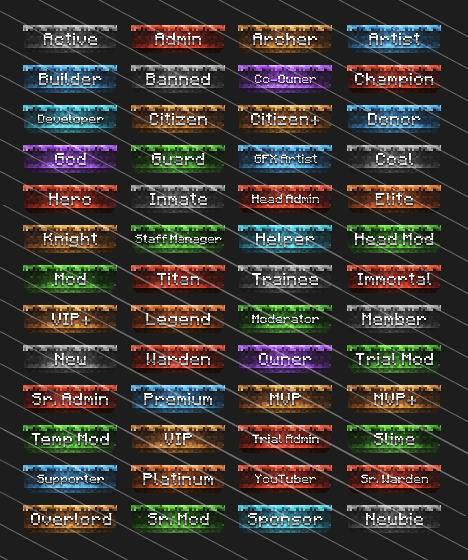
This post first announced our Dirt Blocks forum rank pack in 2017. That pack has been retired, but these current packs follow the same idea: ready-made rank tags in a matching color for every rank, with an optional editable Photoshop file.
-

Stone Slabs Forum Rank Banners
Regular price From $ 4.99 USDRegular priceUnit price per -

Sleek Skyblock Forum Rank Banners
80 RanksRegular price From $ 4.99 USDRegular priceUnit price per -

Crystallized Forum Rank Banners
80 RanksRegular price From $ 4.99 USDRegular priceUnit price per


Minecraft color code questions
What is the color code for gold in Minecraft?
Gold is &6 in plugin configs and §6 in vanilla text. Its hex value is #FFAA00.
How do I type the § symbol?
On Windows, hold Alt and type 0167 on the number pad. On a Mac, press Option + 6.
Why does my chat show &a instead of a color?
The plugin isn't translating color codes in that spot, or the player lacks permission to use colors in chat. Check the plugin's config and its color permission node.
Do color codes work on Bedrock Edition?
Yes. Bedrock uses the same § codes and adds a few extra colors, such as §g for Minecoin gold.


